How to use layout positioning?

  1. Drag & drop "Layout" from main toolbar;
  2. Choose layout composition;
  3. Select one of the following layouts in right toolbar:
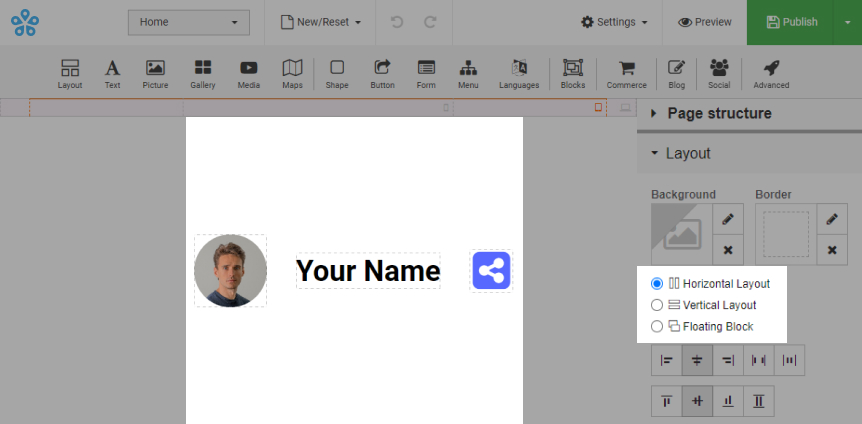
      • Horizontal Layout:
        • Element alignment is horizontal.

        Horizontal Layout

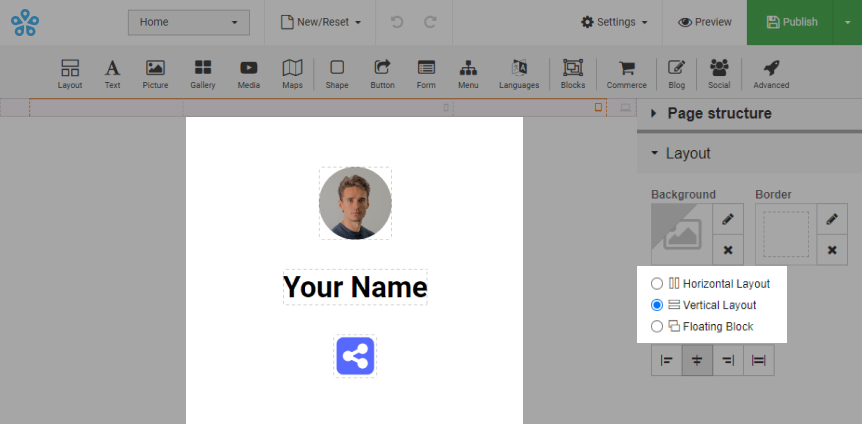
      • Vertical Layout:
        • Element alignment is vertical.

        Vertical Layout

    • Floating Block:
      • Element alignment does not have a strict structure.
        Note. No additional layouts should be added to floating block.
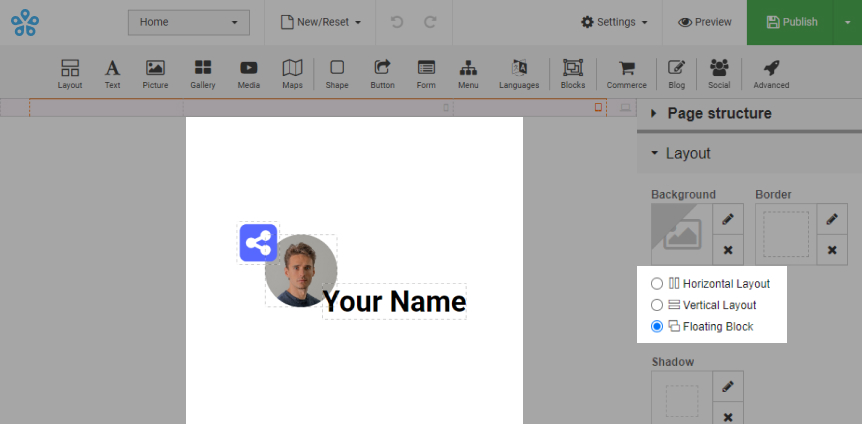
      Floating Block
  • Sahara Builder
  • 0 brukere syntes dette svaret var til hjelp
Var dette svaret til hjelp?

Relaterte artikler

What is Sahara Website Builder?

It is tool that allows you to easily create an entire website using a drag-and-drop editor and...

How to use background image/video?

Background can have an image/video uploaded: Option 1: Upload it as background gallery....

How to use "Gallery Background"?

Adding gallery: Drag & drop "Gallery" from main toolbar; Choose Background gallery...

How to change template?

Login to your account and go to Sahara Builder page; Click "Edit Website"; Click...

How to enable and customize the 404 page?

This page will be shown to a visitor when they try to reach a non-existent page on your website....