How to use layout positioning?

  1. Drag & drop "Layout" from main toolbar;
  2. Choose layout composition;
  3. Select one of the following layouts in right toolbar:
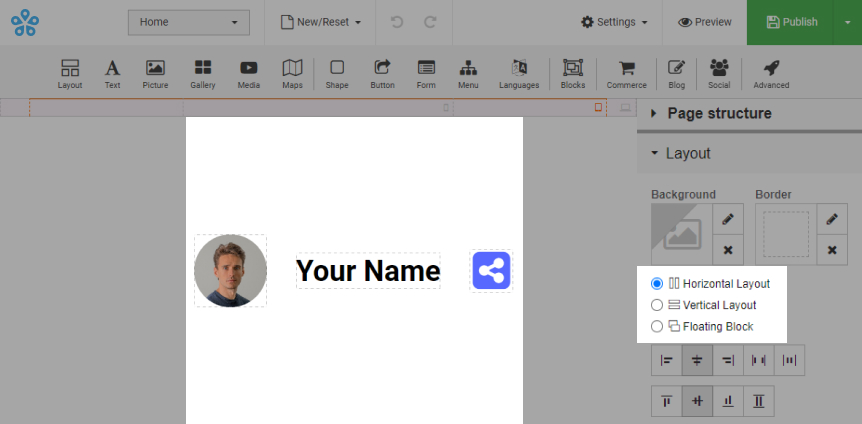
      • Horizontal Layout:
        • Element alignment is horizontal.

        Horizontal Layout

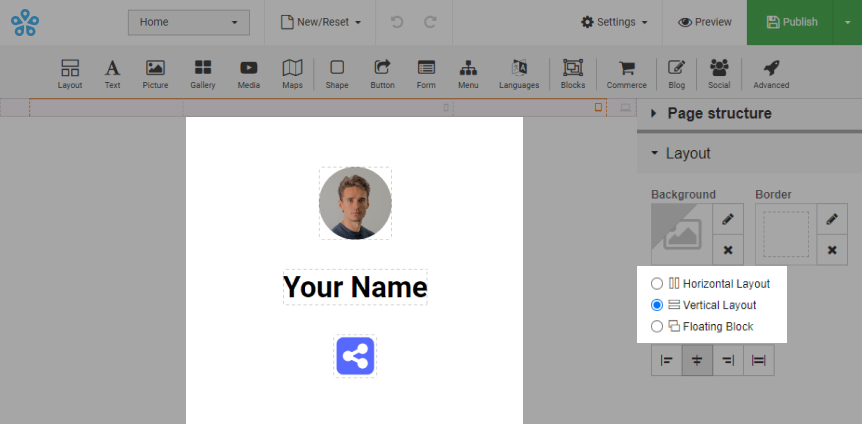
      • Vertical Layout:
        • Element alignment is vertical.

        Vertical Layout

    • Floating Block:
      • Element alignment does not have a strict structure.
        Note. No additional layouts should be added to floating block.
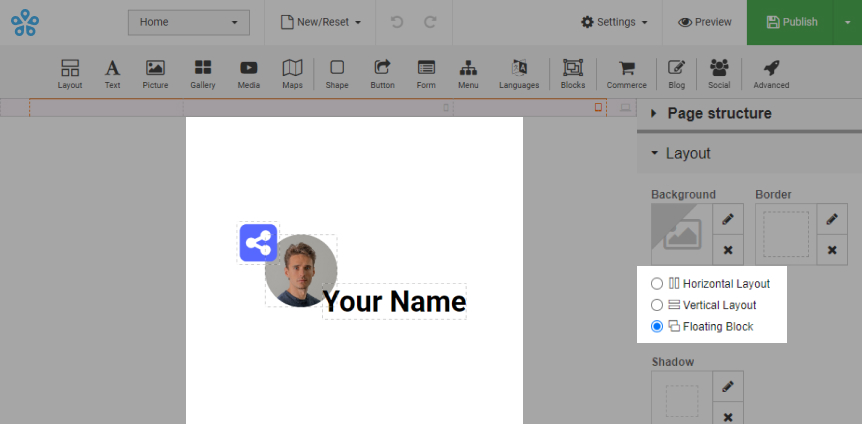
      Floating Block
  • Sahara Builder
  • 0 משתמשים שמצאו מאמר זה מועיל
?האם התשובה שקיבלתם הייתה מועילה

מאמרים קשורים

What is Sahara Website Builder?

It is tool that allows you to easily create an entire website using a drag-and-drop editor and...

How to use background image/video?

Background can have an image/video uploaded: Option 1: Upload it as background gallery....

How to use "Gallery Background"?

Adding gallery: Drag & drop "Gallery" from main toolbar; Choose Background gallery...

How to change template?

Login to your account and go to Sahara Builder page; Click "Edit Website"; Click...

How to enable and customize the 404 page?

This page will be shown to a visitor when they try to reach a non-existent page on your website....